TROLL Jail Hug Tower Controls
Inputs for hugging, escaping, and climbing on every device.
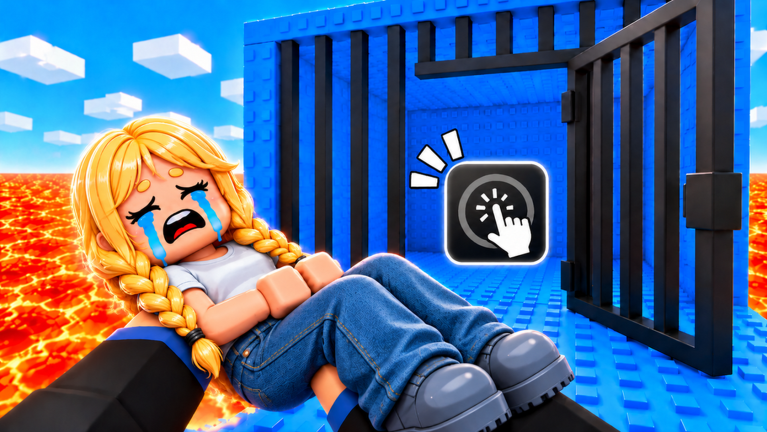
Clean inputs win more climbs in TROLL Jail Hug Tower than fancy passes. This controls guide maps the actions you need on keyboard, touch, and controller so hugs, throws, and escapes feel intentional instead of accidental.
Universal actions
| Action | What it does |
|---|---|
| Move | Reach platforms and orbit victims |
| Jump | Clear gaps; avoid panic spam on lockpick UI |
| Camera | Spot chasers behind you |
| Hug / Interact (often E on PC) | Grab a nearby player |
| Hug again / Throw | Release the victim into lava or jail |
| Struggle / Escape | Break out of an enemy hug |
| Equip tool | Swap Speed Coil, carpet, hammer, etc. |
| Lockpick interact | Appear while jailed — follow the on-screen timing |
Exact button prompts can shift after patches; trust the in-game hint over an outdated screenshot.
PC keyboard and mouse
- WASD — movement.
- Space — jump.
- Mouse — camera; flick behind you on every landing.
- E (typical) — hug / throw / world interact.
- Number keys — equip coils and carpets quickly.
- Shift (if enabled) — sprint when the place supports it.
Bind reminders: keep Speed Coil on a low number key so contested landings only cost one tap. Disable overlapping emote hotkeys that steal the E press.
Mobile touch
Mobile lobbies feel harsher because thumbs hide edge awareness.
- Use a dynamic joystick sensitivity you can still steer while looking up the tower.
- Keep the jump button reachable without covering the hug button.
- Tap hug only when the target highlight or proximity cue appears — mis-taps waste the throw window.
- When jailed, rotate the device so the lockpick UI sits under your best thumb.
- Consider a clip-on trigger if you play seriously; otherwise accept shorter sessions to avoid hand cramps.
If mobile trolling feels impossible, focus on carpet runs with the free coil instead of force-fighting PC grabbers. Script users on mobile should still read the Scripts risks.
Console tips
On Xbox and PlayStation:
- Map hug / interact to a bumper you can hit while steering.
- Increase camera stick sensitivity slightly for rear checks.
- Use the touchpad or menu button sparingly mid-fight; menu lag equals free jail.
Hug timing windows
A good hug has three beats:
- Approach — enter range without telegraphing from ten studs away.
- Latch — press interact once; confirm the carry animation.
- Throw — aim camera toward lava or jail, then press interact again.
Throwing into the middle of the tower often fails. Aim outward. More strategy lives in How to Reach the Top.
Escape timing windows
When someone hugs you:
- Start the struggle input immediately.
- Keep camera toward a safe platform.
- On breakout, coil-boost away.
- If you land in jail anyway, switch mental modes to lockpick — see How to Escape Jail.
Tool controls worth practicing
- Speed Coil — tap to surge across contested floors.
- Jump Coil — hold or tap per item design; test in a safe zone.
- Magic / Rainbow Carpet — mount, steer, dismount before tight doors.
- Grapple Hook — aim at high ledges, not at players, unless you know the hit rules.
- Hammer / slap tools — spacing weapons; do not swing while carrying if it drops the victim early.
Buy order guidance: tier list. Free coil and carpet: free rewards.
Accessibility and comfort
- Lower graphics if camera stutter ruins rear checks.
- Enable performance mode on low-end phones.
- Take breaks; hug spam sessions cause input fatigue and bad throws.
- Headphones help if lockpick or hug cues are audio-based.
Practice drill (five minutes)
- Minute 1 — camera flicks only while climbing empty stairs.
- Minute 2 — hug a friend and throw into a safe interior.
- Minute 3 — let them hug you and practice struggle.
- Minute 4 — intentional jail + lockpick.
- Minute 5 — Speed Coil burst after escape.
After the drill, run a real carpet attempt. Review Getting Started if any UI still feels foreign.
Related pages
Frequently Asked Questions
Quick answers for climbers, trolls, and badge hunters.
What key do I press to hug in TROLL Jail Hug Tower?
On PC it is usually E or the prompted interact key. Mobile and console show an on-screen hug or interact button when you are in range.
How do I throw someone after hugging them?
Aim the camera toward lava or a jail drop, then press the same hug/interact control again to release.
Why can't I hug on mobile?
You are probably out of range or the thumb is covering the hug button. Close distance until the prompt appears, then tap once.
Do controls change after updates?
Prompts can shift. Always trust the in-game hint text, and recheck this wiki after notes appear on the Updates Hub.